How to make a chart
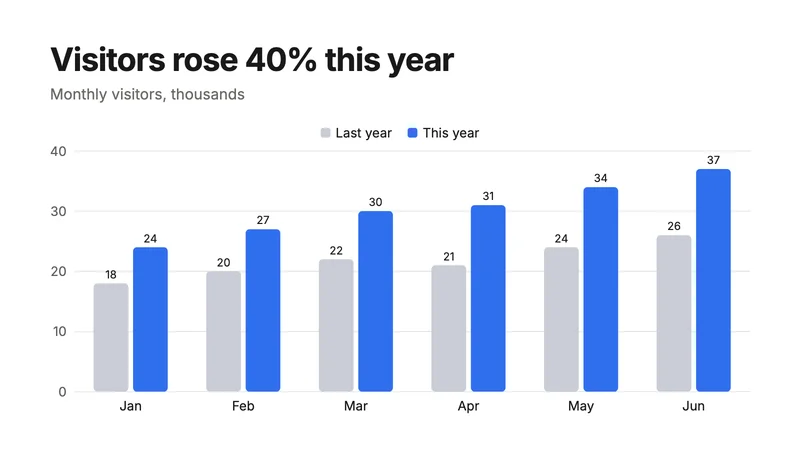
- Press Make a chart. A slide opens with a bar chart of sample numbers, already picked.
- Press Data in the bar. A sheet opens: series across the top, labels down the side. Type over the sample. Enter moves down a row, as in a spreadsheet.
- Add a label or a series with the buttons under the sheet; take one away with its ×.
- Switch between bar, line, pie and donut with the buttons at the start of the bar. Your data stays.
- Set the colours, the font and its size, and show the values on the chart if you want them.
- Press Download: PNG or JPG for a picture, PDF or SVG to keep it sharp at any size.
Charts that fit the design
A chart takes the same fonts as the rest of the page, and your brand colours when you apply a brand kit. The value axis counts in round steps (0, 10, 20…) and starts at zero, so bars are never misleading.
Questions
Can I paste numbers from a spreadsheet?
Type them in, or paste into a cell one value at a time. Numbers like "1,250", "12.5" and "40%" are all read, and so is European writing like "12,5" or "1.250,5"; an empty cell leaves a gap.
Which chart should I use?
Bars compare amounts. Lines show change over time. A pie or donut shows parts of one whole, and reads best with up to five or six slices.
Is it free?
Yes, with every chart type, no watermark and no sign-up.